
A dropped internet connection disrupts remote work, VoIP calls, smart thermostats and home security far faster than it did a decade ago. Because Great Britain is actively retiring legacy copper PSTN landlines in favour of full-fibre FTTP (Fibre to the Premises) and Digital Voice services, an unexpected broadband cut can knock out your home telephone at the exact same moment as Wi-Fi. Before waiting forty minutes on hold with customer support, run a methodical physical check on your router, wall socket and optical box, understand when the Ofcom Automatic Compensation Scheme pays £9.98 per calendar day automatically, and know how to prove persistent packet loss if an operator drags out fault resolution.
1. Separating Home Wi-Fi Faults From Upstream Line Outages
Roughly one in three domestic connectivity complaints stems from indoor Wi-Fi congestion, loose patch leads or faulty consumer routers rather than an exchange or street cabinet failure. Always isolate your Wi-Fi wireless link from your physical WAN connection before booking an Openreach, Virgin Media or altnet engineer call-out, as avoidable indoor fault visits sometimes attract abortive visit charges.
Openreach ONT Indicator Lights: Understanding Flashing Red LOS
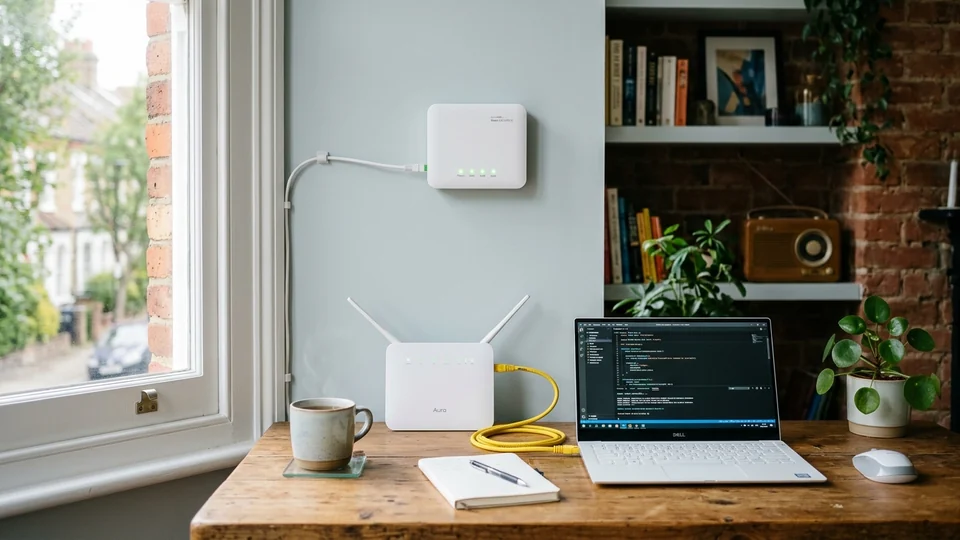
On UK full-fibre installations delivered over Openreach, CityFibre or Hyperoptic networks, look at the white wall-mounted Optical Network Terminal (ONT) positioned where thin glass fibre enters the property. Check four crucial LEDs carefully:
- POWER (Solid Green): Confirms the 12V DC wall plug is alive. Dark power means a tripped socket or failed PSU rather than a street outage.
- PON / OPTICAL (Solid Green): Confirms healthy laser synchronisation back to the local telephone exchange OLT shelf. If PON flashes green continuously without locking solid, or if LOS (Loss of Signal) glows or flashes red, physical fibre damage has occurred—either an indoor snapped patch cord, a pinched drop wire overhead or a flooded underground street duct requiring network engineers.
- LAN / 1GE (Flickering Green/Amber): Shows active Ethernet handshake between your ONT and the WAN port of your ISP router. Never plug the yellow/red Ethernet cable from an ONT into a regular numbered LAN port by mistake, and never reboot the ONT repeatedly during maintenance windows.
DOCSIS Coaxial Hubs, FTTC Copper Cabinets & Altnet Maintenance
If your home runs over Virgin Media’s HFC coaxial cable network, check your Hub’s base light colour: flashing green or flashing red coax sync indicates upstream street amplifier loss or damaged drop shielding rather than router Wi-Fi failure. For older FTTC (VDSL copper-to-cabinet) households plugged into a traditional Openreach master socket, connect a corded telephone briefly to check dial tone where still active; severe crackles or total dead air alongside slow broadband point to an external overhead copper joint needing BT Openreach repair. Before calling support, inspect the UKOutage Broadband Hub and verify which local networks cover your postcode via our UK Broadband & Altnet Checker.
2. Diagnosing DNS Failures, Packet Loss & Speed Drops Properly
Sometimes physical light levels look completely green on an ONT while websites spin endlessly. When your ISP’s recursive DNS servers go offline—a frequent root cause of national broadband outages—browsers report server not found errors even though underlying IP routing remains operational.
Running Reliable Wired Diagnostics Without Wi-Fi Distortion
To produce credible evidence for an ISP fault ticket or Ofcom Minimum Guaranteed Download Speed guarantee claim, avoid testing from an upstairs bedroom over 2.4 GHz Wi-Fi. Plug a laptop directly into Port 1 of your ISP router using an undamaged Cat5e/Cat6 Ethernet cable, pause cloud backups and run our clean UK Broadband Speed & Latency Test. Record three measurements taken fifteen minutes apart showing download speed, upload speed, ping latency and jitter.
If ping exceeds 120 ms with noticeable packet stalls during evening peak hours (19:00–22:30), your local backhaul or cabinet line card may suffer severe contention or bufferbloat rather than a total blackout. Documenting evening throughput drops alongside green ONT LEDs gives technical second-line support engineers exact timestamps to inspect BNG session drops on their core routers.
3. Ofcom Automatic Compensation Scheme: Exact UK Statutory Rates
Most major national UK broadband providers voluntarily participate in the regulator-backed Ofcom Automatic Compensation Scheme, removing the old hurdle of negotiating discretionary goodwill credits. Under scheme rules, eligible residential broadband and landline customers receive standardised monetary credits directly onto their next bill whenever total loss of service or missed visits exceed statutory thresholds—without needing to submit a separate compensation claim form once the fault is duly reported.
£9.98 Per Calendar Day, £31.19 Missed Appointments & £6.24 Start Delays
Review the current statutory UK compensation rates applying across signatory operators (calculate your exact owed amount instantly with the UKOutage Ofcom Broadband Compensation Calculator):
- Total Loss of Broadband or Landline Service: £9.98 for each calendar day the service remains completely down after two full working days have elapsed following your initial fault report to the provider. Weekends and bank holidays do not count toward the initial two-working-day fix window, though compensation accrues daily once that clock expires until full restoration.
- Missed Engineer Appointments: £31.19 per missed appointment where an Openreach or ISP engineer fails to attend within the agreed morning or afternoon slot, or cancels with under 24 hours’ notice.
- Delayed Activation / New Service Start Date: £6.24 for each calendar day a confirmed installation or switch activation date slips past midnight on the promised start day.
Signatory ISPs vs Non-Signatory Altnets & Small Fibre Providers
Full scheme participants presently include BT, EE, Plusnet, Sky, NOW Broadband, TalkTalk, Virgin Media, Vodafone Broadband, Utility Warehouse, Zen Internet, Hyperoptic and KCOM. Note an important distinction: several fast-growing regional full-fibre altnets—including Community Fibre, Gigaclear, CityFibre retail partners or smaller rural operators—may fall outside the automatic Ofcom scheme and operate their own Service Level Agreements (SLAs) instead. Always inspect your Order Summary Sheet and Terms for compensation covenants before assuming automatic bill credits apply, and keep written chat transcripts confirming the exact date you notified the helpdesk.
4. Escalating Unresolved Faults to the Communications Ombudsman
When a street cabinet flood or underground fibre splice fault drags past fourteen days without restoration progress, or an ISP disputes your compensation calculation by claiming customer-caused fault without proof, move promptly into formal dispute escalation. Submit a formal written complaint demanding a complete fault-report timeline and automatic compensation ledger audit using our UK Dispute Letter Generator.
Deadlock Letters, 8-Week Escalation & Penalty-Free Contract Exit
Under Ofcom General Conditions, once eight calendar weeks pass after opening a formal complaint—or immediately if your provider issues an official written Deadlock Letter—you may escalate free of charge to the provider’s accredited Alternative Dispute Resolution (ADR) body, namely the Communications Ombudsman or CISAS. In addition, if an ISP fails to fix a persistent speed shortfall below the contract’s Minimum Guaranteed Download Speed within 30 days of testing confirmation, you gain the statutory right to exit your broadband contract mid-term without paying early termination charges.
5. Backup Connectivity & PSTN Switch-Off Readiness
Households containing elderly relatives, home-based telecare alarms or remote workers should never leave fixed broadband as a single point of failure. Because Digital Voice handsets stop working whenever either local mains power or street fibre fails, keep a charged mobile handset on a separate host mast network (see our UK MVNO Host Checker), add a modest DC mini-UPS to keep your router and ONT running during brief grid blips, and explore multi-WAN backup setups in our Rural Broadband & 4G/5G Failover Guide.